Alienware AW3426DW: Monitor QD-OLED ultrawide 34 inch với công nghệ Penta Tandem
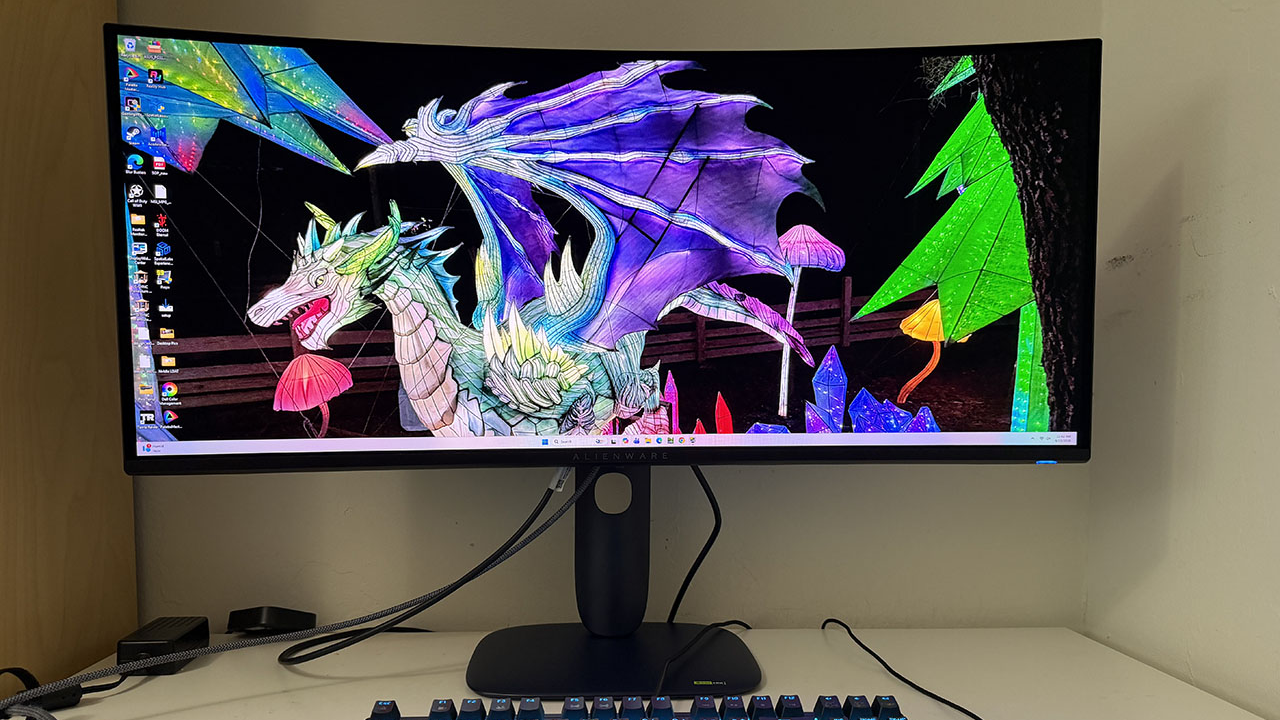
Alienware ra mắt AW3426DW, một monitor ultrawide 34 inch QD-OLED được cập nhật từ mẫu AW3425DW năm trước. Sản phẩm mới tích hợp công nghệ Penta Tandem OLED cho độ sáng đỉnh 1300 nit, độ phân giải 3440 x 1440, tốc độ làm mới 280Hz, và khả năng xử lý văn bản tốt hơn mà không bị mất độ sắc nét.
Of the many sizes and shapes the best gaming monitors come in, the 34-inch ultra-wide 21:9 screen strikes a good balance between size and player immersion. It’s wider than the 32-inch 16:9 format but not as large as extreme displays like the 52-inch LG I reviewed recently. What makes them even better is QD-OLED technology, and there, Alienware is offering a nice update to last year’s AW3425DW . It’s the AW342 6 DW, and it brings a few new features, like a five-layer tandem OLED for higher light output, V-stripe RGB sub-pixels for sharper rendering, a bump from 240 to 280 Hz, and a new anti-reflective screen coating. It’s still WQHD 3440x1440 pixels, and it still offers Adaptive-Sync, HDR10, and wide gamut color, and adds Dolby Vision to its list of supported content. Let’s take a look. Alienware AW3426DW Specs Panel Type / Backlight Quantum Dot Organic Light Emitting Diode (QD-OLED) Screen Size / Aspect Ratio 34 inches / 21:9 Curve radius: 1800mm Max Resolution and Refresh Rate 3440x1440 @ 280 Hz FreeSync and G-Sync Compatible Native Color Depth and Gamut 10-bit / DCI-P3+ HDR10, Dolby Vision DisplayHDR 500 True Black Response Time (GTG) 0.03ms Brightness (mfr) 300 nits full field 1,300 nits HDR 3% window Contrast Unmeasurable Speakers None Video Inputs 1x DisplayPort 1.4 2x HDMI 2.1 USB 3.2 1x up, 1x type A, 1x type C Power Consumption 29.5w, brightness @ 200 nits Panel Dimensions WxHxD w/base 32.1 x 17.5-21.9 x 9.1 inches (815 x 445-556 x 231mm) Panel Thickness 4.4 inches (112mm) Bezel Width Top: 0.35 inch (9mm) Sides: 0.47 inch (12mm) Bottom: 0.75 inch (19mm) Weight 17.4 pounds (7.9kg) Warranty 3 years, including burn-in The AW3426DW’s Tandem OLED is a new variant of the technology that takes the simple approach of stacking multiple OLED layers for greater light output with less energy consumption. It also taxes the layers less, so they last longer and are more resistant to burn-in. Alienware backs this with a three-year warranty that includes burn-in. The screen has a 34-inch diagonal, a 21:9 aspect ratio, a 1800mm curve radius, and WQHD (3440x1440) resolution. V-Stripe RGB refers to the sub-pixel layout, which is finer and more precisely applied. This makes fine text and detail sharper by reducing color fringing. With its five OLED layers, the AW3426DW now boasts higher light output than last year’s model. The VESA DisplayHDR rating is now 500 nits for a full white field and 1,300 nits for a 3% window. To cap off the imaging improvements, there’s a new anti-glare coating applied to the screen that further deepens black levels and more effectively rejects ambient light. With 280 Hz instead of last year’s 240, the AW3426DW is a tad speedier, and my test results, which you’ll see on the next page, show a nice drop in input lag. Panel response is typical OLED-quick, resulting in perfect motion resolution and smooth action free of motion blur. Adaptive-Sync is also supported on both Nvidia and AMD platforms. It’s no surprise that the AW3426DW supports HDR10, but now it adds Dolby Vision to the mix. The benefits of its dynamic tone mapping cannot be understated. HDR10’s tone mapping is fixed to the content metadata, which usually has a peak of 1,000 nits. If a display can’t hit 1,000 nits, or its output exceeds that, it must tone map to render all brightness steps. Dolby Vision controls this process within the content and always knows the display's actual output level. Bottom line: it’s more accurate and consistent, and it looks better. It’s a difference you can plainly see. Dolby Vision isn’t common in games, but it is common from streaming services like Netflix, HBO Max, and Disney+. All other features of the AW3425DW carry over to the AW3426DW, like AlienVision and its cool aiming point/sniper mode editor. You also get USB ports and a backlit Alienware logo on the back. There’s no headphone jack or internal speaker, but the downstream USB-A and USB-C ports are on the bottom edge of the panel, where they are within easy…