AMD Ryzen AI Halo: Đối thủ x86 mạnh mẽ của Nvidia DGX Spark
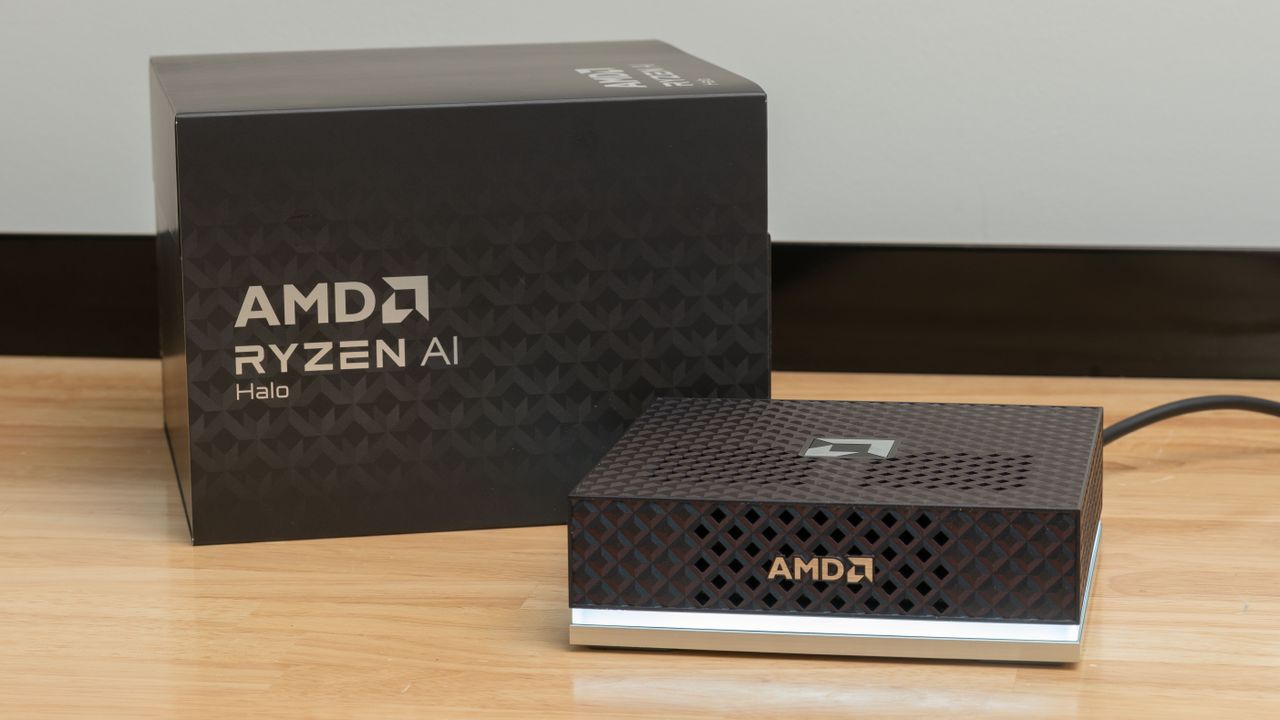
AMD đã phát triển Ryzen AI Max+ 395 (Strix Halo) SoC như một giải pháp cạnh tranh với Nvidia DGX Spark và GB10 SoC. Chip này được thiết kế để cung cấp một nền tảng phần cứng tiêu chuẩn kết hợp với hỗ trợ phần mềm mạnh mẽ, giúp các nhà phát triển AI có thể bắt đầu nhanh hơn so với xây dựng từ đầu.
Nvidia's DGX Spark and its GB10 SoC have set the template for what a purpose-built local AI developer sandbox should be. The combination of a standardized hardware platform with robust first-party software support and thorough documentation lets those curious about local AI get up and running faster than buying a bare-metal box and building everything up from scratch, especially in the rapidly evolving AI space. AMD's Ryzen AI Max+ 395, aka Strix Halo, SoC, is the best x86 spoiler for GB10 so far. It has the same 128GB of unified memory, a powerful 16C/32T Zen 5 CPU, and a Radeon 8060S integrated GPU with 2560 RDNA 3.5 stream processors. It also has an AMD XDNA 2 NPU for those who want to experiment with that accelerator in addition to the general-purpose Radeon GPU. And it can run Windows and Windows apps natively, whereas GB10 boxes are Linux-only for now. AMD's partners have been building around this hardware for about a year and a half, and it's a well-known quantity at this point. But once you have that hardware in hand, setting it up for AI workloads involves digging through scattered GitHub pages, Reddit threads, and AMD official documentation to get all the software pieces lined up right for the best performance and compatibility. AMD is trying to change all that today with the launch of the Ryzen AI Halo, a first-party, turn-key Strix Halo mini-PC that puts local AI first. This system can be had with Windows or Linux, and at least in the Linux form we're testing today, it comes preloaded with the full AMD ROCm software stack and an assortment of applications you need to immediately start generating tokens with your preferred model. And on the support side, AMD has taken a page directly out of Nvidia’s book and cooked up an entire set of its own playbooks that cover various local AI applications and usage scenarios with the AI Halo (and Strix Halo systems more generally) to serve as a springboard for local AI explorers. The grand tour (Image credit: Tom's Hardware) The AI Halo comes wrapped in a plastic shell with a subtly color-shifting finish. It's got a large light bar ringing its front and sides that indicates system status. White means it's awake, while a pulsing blue indicates that it's asleep, assuming you allow it to suspend at all. Red indicates a fault. If you find the LED strip distracting, you can just turn it off using the preinstalled AI Developer Center app. The AI Halo has air intakes on its top and sides, and AMD cautions that you shouldn't block any of these intakes. If you're running by the book, that means this system is less flexible than it could be for space-constrained or multi-node home lab setups, where turning the unit on its side would allow for valuable space savings. Enterprising community members will likely design and share 3D-printed spacers and risers to get around these limitations, but for a device that is presumably meant to be used in home labs and production environments, the lack of flexibility in orientation is a small but annoying oversight. (Image credit: Tom's Hardware) Around back, the AI Halo has the same trio of USB Type-C ports you'll find on Nvidia GB10 boxes, plus one more for power input with the included 240W brick. The port closest to the power plug runs at “USB 3.2” speeds, while ports 3 and 4 are higher-speed USB 4. These ports are all DisplayPort Alt Mode compatible, or you can use the HDMI 2.1 port for display output if you prefer. For wired networking, the AI Halo offers a 10 Gigabit Ethernet port. That’s certainly fast, and AMD has written a clustering playbook for multiple AI Halos using that interface, but it’s in a whole other league compared to the 200Gbps ConnectX-7 NIC on the DGX Spark and its ilk. (Image credit: Tom's Hardware) We didn't want to strip our AI Halo all the way down to its guts, but each of the four rubber feet on the bottom of the system is secured with a pair of tiny magnets, and they conceal the four screws you presumably need to remove…