HP OmniBook Ultra 14 với Snapdragon X2 Elite: Hiệu năng mạnh, pin lâu, giá cao
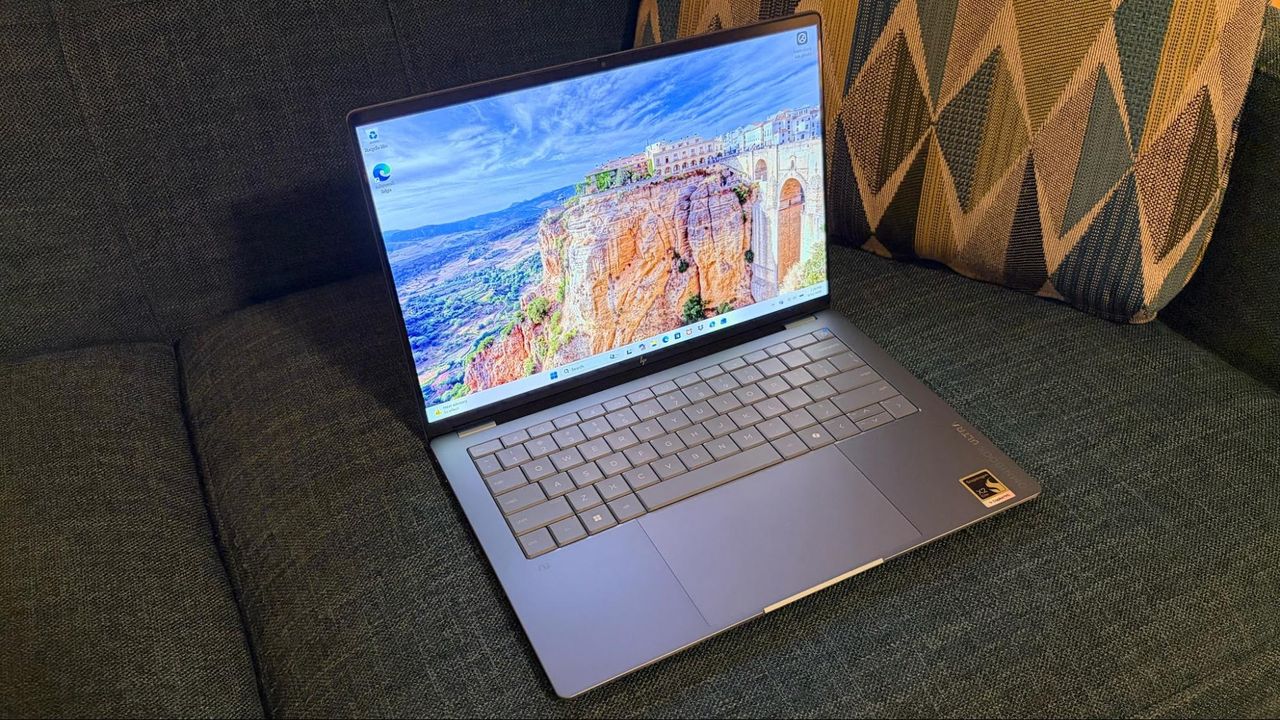
HP OmniBook Ultra 14 được trang bị bộ xử lý Snapdragon X2 Elite (X2E-90-100) mới nhất của Qualcomm, cùng với 64GB RAM và 2TB SSD. Thiết bị mang đến hiệu năng mạnh mẽ và thời lượng pin ấn tượng, nhưng với mức giá cao.
Qualcomm has steadily iterated on its Arm SoC efforts in the Windows space and made further gains with the launch of the Snapdragon X platform. Now we’re seeing a wave of new systems using Qualcomm’s Snapdragon X2 series of Arm processors, and the HP OmniBook Ultra is the latest to take a bow. Our review unit is powered by a new flagship Snapdragon X2 Elite (X2E-90-100) SoC, paired with a generous 64GB of memory and a capacious 2TB SSD, and features an all-new chassis design. The OmniBook Ultra proved to be a top contender in performance benchmarks and is a great all-around system, but about that price… Design of the HP OmniBook Ultra 14 Our OmniBook Ultra 14 review unit arrived with an entirely new design language compared to the Ryzen AI 9 HX 375-equipped system that I tested in 2024. This year’s design features a more angular look and is finished in a color that HP calls “Stone Blue.” The edges of the forged aluminum-alloy chassis are highly polished to a mirror-like finish. It has a decidedly more upscale appearance compared to its predecessor, although the overall quality feels the same (which is to say, excellent). (Image credit: Tom's Hardware) Upon opening the OmniBook Ultra, you’ll notice “OmniBook Ultra” printed vertically along the forward right palm rest of the keyboard deck. “OmniBook” is printed on the chassis, while the Ultra is actually engraved with the same polished finish as the chassis edges. A massive 5.4 x 3.4-inch trackpad sits at the center of the deck, while the keyboard is directly above, with the keys finished in dark “stone blue” plastic. One thing of note: the fingerprint reader integrated into the power button on the 2024 model is missing this time around. The 14-inch display has tiny bezels on the left and right, and thicker ones along the top and bottom. The bottom bezel also features “HP” branding in the middle. The display is covered with a glossy glass, which does wonders for improving image vibrancy but tends to increase reflections. Tom's Hardware Tom's Hardware Tom's Hardware Tom's Hardware Tom's Hardware Tom's Hardware I complained about the fussy USB-A port on the previous-generation OmniBook Ultra, which was partially covered by a spring-loaded door. This time, HP just ditched the USB-A port entirely and replaced it with another USB-C port. As a result, the new OmniBook Ultra has a single USB-C port and a 3.5 mm jack on its left side, and two USB-C ports on its right side. None of the ports support Thunderbolt, although they do feature USB Power Delivery 3.1, DisplayPort 1.4, and a 40 Gbps signaling rate. The OmniBook Ultra measures 12.25 x 8.49 x 0.42 inches and weighs 2.81 pounds. The Asus Zenbook A16 is just a hair heavier at 2.87 pounds, while the 13-inch MacBook Air is a smidge lighter (2.7 pounds). The previous generation OmniBook Ultra tips the scales at 3.4 pounds. HP OmniBook Ultra 14 Specifications CPU Qualcomm Snapdragon X2 Elite X2E-90-100 (5 GHz, 18 cores) Graphics Qualcomm Adreno Graphics (integrated) NPU Qualcomm Hexagon, up to 85 TOPS Memory 64GB LPDDR5x-9523 onboard Storage 2TB M.2 PCIe Gen 5 NVMe SSD Display 14-inch, 2880 x 1800, OLED, 120 Hz, Multi-touch Networking Qualcomm FastConnect 7800 (Wi-Fi 7), Bluetooth 5.4 Ports 3x USB4 Type-C, 3.5 mm headphone jack Camera 5MP IR Battery 70 WHr Power Adapter 65W, USB Type-C GaN charger Operating System Windows 11 Home Dimensions (WxDxH) 12.25 x 8.49 x 0.42 inches Weight 2.81 pounds (1.27 kg) Price (as configured) $2,879.99 Productivity Performance on the HP OmniBook Ultra 14 The OmniBook Ultra is among the first laptops we’ve tested to use the new Snapdragon X2 Elite SoC (up to 5.0 GHz clock speed, 18 cores), with the first being the Asus Zenbook A16. As we learned in our review of the ZenBook A16, the Snapdragon X2 Elite is a strong performer, and it’s made even more potent by the inclusion of 64GB of LPDDR5x-9523 in our review unit, paired with a 2TB PCIe 5.0 SSD. The Snapdragon X2 Elite also includes an integrated Hexagon…