ASUS Zenbook A14 2026 nâng cấp chip Snapdragon X2 Elite
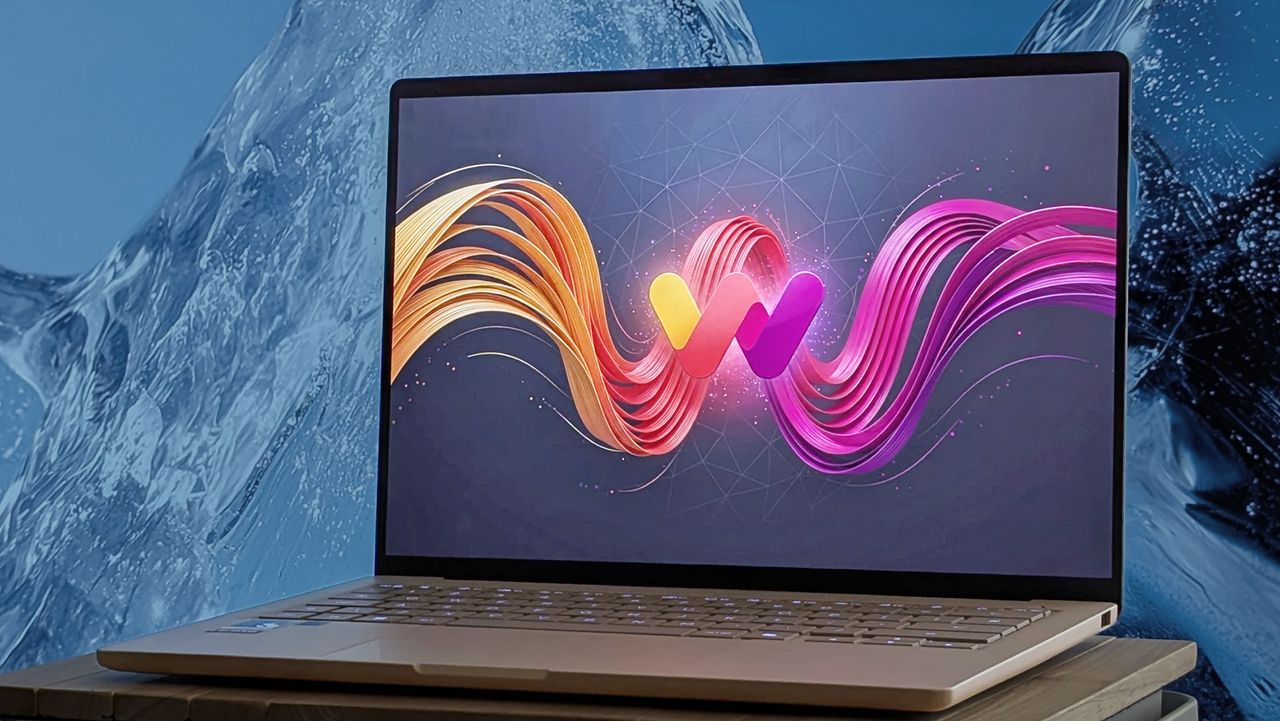
ASUS ra mắt phiên bản nâng cấp của Zenbook A14 với bộ xử lý Snapdragon X2 Elite mới nhất. Laptop Windows on ARM này được định giá 2.000 USD, tăng 100 USD so với phiên bản 2025. Thiết bị vẫn giữ thiết kế compact và cao cấp, nhưng người dùng cần cân nhắc liệu nâng cấp có đáng giá hay nên tiếp tục dùng thế hệ trước.
ASUS' Snapdragon-based Zenbook became immediately iconic when its first A14 iteration was revealed at CES 2025 , and it still won us over after an unfortunate $100 price increase when we tested a real-world sample for our Zenbook A14 (2025) review . Well, now it's back again, and it's packing the latest Snapdragon X2 Elite processor in yet another premium (but compact) Windows on ARM laptop. So, is it worth $2,000 , or should you stick with the previous generation? How much does the Zenbook A14 cost? It's tiny and lightweight, but the new Zenbook A14 is by no means a budget Windows laptop. (Image credit: Ben Wilson | Windows Central) ASUS lists the Zenbook A14 (UX3407) on its official storefront for $1,999.99 , with a Snapdragon X2 Elite (X2E-88-100) processor, 32GB of LPDDR5X-9523 RAM, and a 1TB SSD. The 14-inch non-touch OLED display runs at 1920 x 1200 resolution with a maximum refresh rate of 60Hz , in a 16:10 aspect ratio. Depending on when you buy, it'll come pre-installed with at least Windows 11 26H1, built exclusively for Qualcomm's processors . Better yet, you can pick up the Zenbook A14 for just $1,349.99 at Best Buy with 16GB of RAM and a 512GB SSD, or for $1,799.99 at Best Buy with the same 32GB of RAM and 1TB SSD as the ASUS store configuration. Naturally, if you're looking for the best deal, Best Buy currently offers the best value for money and, at the time of writing, better availability. Also consider the $1,699.99 Zenbook A16 . Zenbook A14 sample specifications Component Spec CPU Qualcomm Snapdragon X2 Elite X2E-88-100 RAM 32GB LPDDR5X-9523MT/s GPU Qualcomm Adreno (Integrated) Display 14" 16:10 WUXGA (1920 x 1200) non-touch 60Hz OLED Storage 1TB M.2 NVMe PCIe 4.0 SSD Battery / Charger 70WHrs / 100W USB-C Weight 2.18 lbs (0.99 kg) Not only does Best Buy offer a 16/512GB model at a lower price than ASUS' official digital storefront, but you also have a chance to pick up a Zenbook A14 at your local store. View Deal Is the Zenbook A14 a good laptop? It's a subtle sandy color, and the beige finish looks more interesting than any stock silver. Ben Wilson | Windows Central Down-firing speakers hide beneath this lightweight chassis. Ben Wilson | Windows Central Above all, the most astonishing reaction I had when first unboxing the Zenbook A14 was its weight. ASUS lists the laptop at 2.18 lbs (0.99 kg) , and my own scales showed it flicker between that and a perfect kilogram, so its "light as air" marketing tagline is legit, even if it is marginally heavier than last year's Zenbook A14 (2.16 lbs) . For comparison, a 13-inch MacBook Air (M5) is 2.7 lbs . ASUS still uses a "Ceraluminum" (ceramic-aluminum) coating on its Zenbook chassis, and to great effect. There can be some mild flex in the ultra-skinny screen, but the laptop's body is firm and sturdy, keeping the subtle 'Zabriskie Beige' color with a reflective logo on its lid. Its 1200p display maxes out at 60Hz , but the Lumina OLED panel looks as great as ever. USB4 provides high-speed Type-C support, while a physical headphone jack is a welcome addition. Ben Wilson | Windows Central USB-A on the right side means my traditional wireless mouse dongle still works. Ben Wilson | Windows Central The keyboard is a fairly standard affair, including the squashed laptop arrow keys. Ben Wilson | Windows Central Testing the display with a colorimeter showed a maximum full-screen brightness of 407 nits , while ASUS maintains it'll reach a "peak" brightness of 600 nits in portions of the screen. Color accuracy is superb, covering 100% of the sRGB and P3 gamuts, while Adobe RGB hits 94%, making the Zenbook A14 a great choice for creators concerned with accurate color representation. Port selection hasn't changed this year, so I still have access to dual Type-C USB4 ports alongside HDMI 2.1 and a 3.5 combo audio jack on the left side, plus a full-size USB-A 3.2 Gen 2 port on the right. The keyboard feels serviceable with a 1.3 mm travel distance, just as it did on the Zenbook…