Windows 11 có tính năng phục hồi hệ thống qua đám mây mới
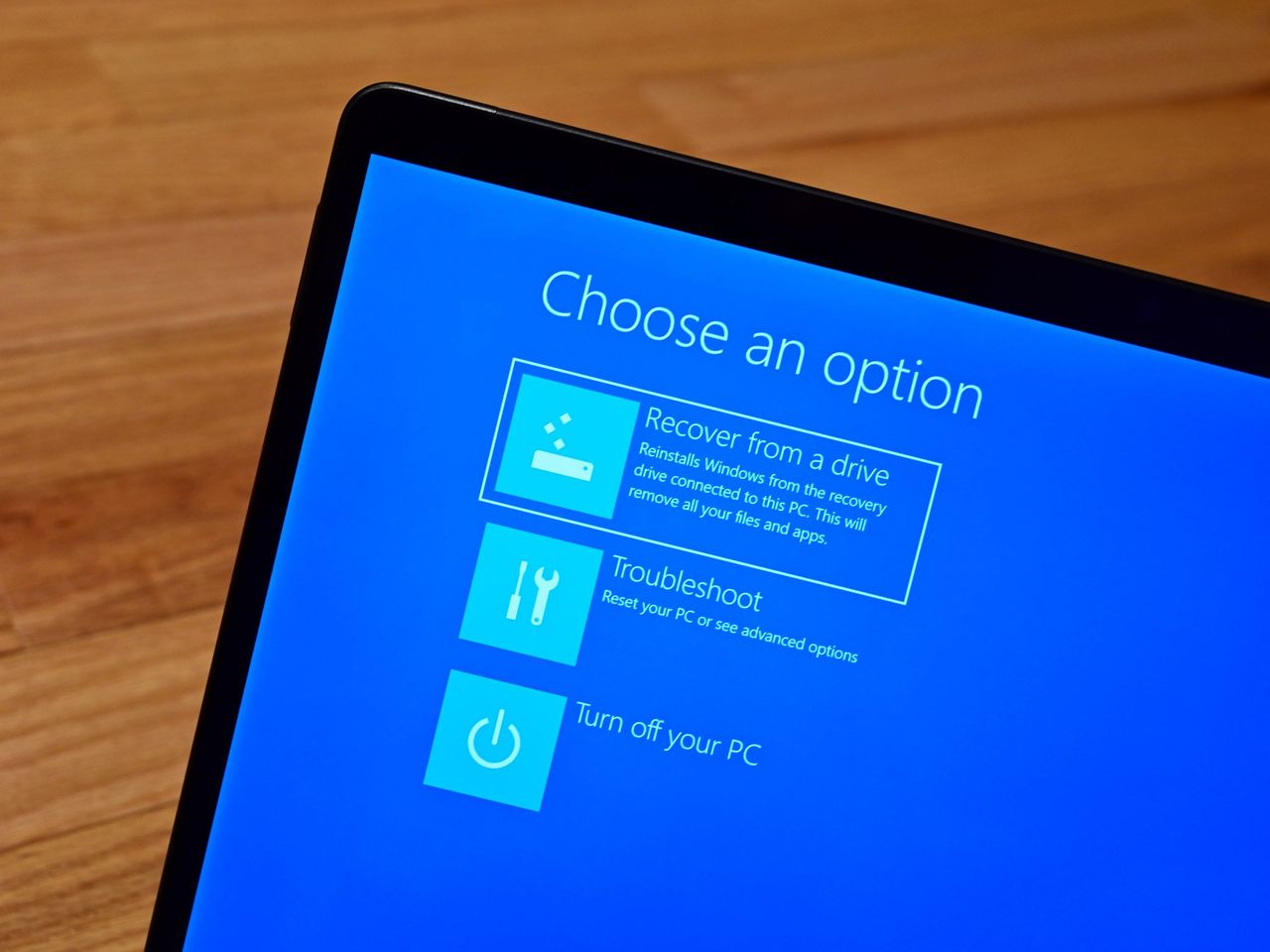
Microsoft công bố tính năng Cloud Rebuild cho Windows 11, cho phép người dùng cài đặt lại hệ điều hành thông qua đám mây mà không cần USB. Tính năng này sẽ tự động tải Windows OS và các driver thiết bị, sau đó cài đặt chúng trong quá trình phục hồi để máy tính hoạt động đầy đủ.
Microsoft has announced another new recovery method for Windows 11 PCs that will allow users to reinstall the OS using the cloud. The new recovery tool is called Cloud Rebuild which will restore a PC to a "clean, known-good state by performing an entire OS reinstall." The new Cloud Rebuild feature will download the Windows OS along with your devices drivers , and seamlessly install them during the recovery process so that your device is fully functional once the OS reinstalled, all without needing an external USB install drive. "Unlike Reset this PC , Cloud rebuild downloads both the target Windows image and the device's drivers from Windows Update, so the device comes back fully functional without USB media, without a custom image, and without depending on the health of the currently installed OS." The new cloud rebuild option in the Windows Recovery environment. (Image credit: Microsoft) Reset this PC has had its own cloud download option for a while, but that feature is only useful when the Windows OS is bootable, and acquires drivers from the device locally. In scenarios where the OS has become unbootable, the new Cloud Rebuild option will be a life saver. Cloud Rebuild also doesn't include an option to maintain apps and files. Reset this PC includes an option to maintain all your data across the reset, but Cloud Rebuild is strictly for reinstalling the Windows OS as a clean slate with device drivers. The new Cloud Rebuild recovery option is now rolling out in preview to Windows Insiders in the latest Windows 11 preview builds, so it's not generally available just yet but it should begin rolling out to everyone in the coming months. Join us on Reddit at r/WindowsCentral to share your insights and discuss our latest news, reviews, and more.